
How to Make a Sheru Bhai AI Video (Step by Step, 2026)
Sheru Bhai AI video kaise banaye: a step-by-step guide to making viral Sheru Bhai lion videos and photos with AI, prompts, dialogue, settings, photo-to-video and posting tips.
Last updated: 2026-11-13
This guide shows you how to make a Sheru Bhai AI video, the viral lion boss clips from Instagram Reels and YouTube Shorts, in about two minutes, with no editing skills. It also covers the manual method with free tools, in case you want to compare.
Method 1: Sheru Bhai Video studio (fastest)
Step 1, Create a free account
Sign up with your email or Google. New accounts get free credits, enough for a short Sheru Bhai video or several AI photos.
Step 2, Pick a scene template
On the home page studio, choose one of 12 templates:
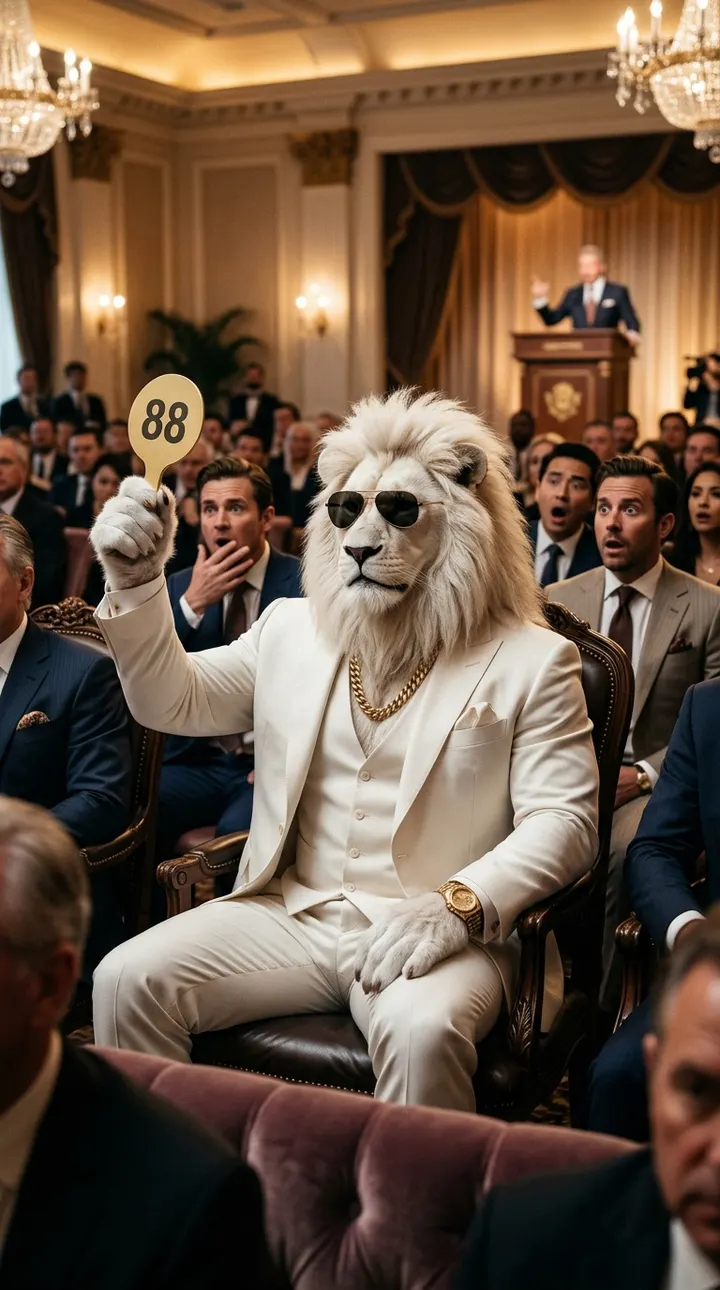
| Category | Templates | | ---------------- | --------------------------------------------------------------------- | | Boss Entry | Rolls-Royce palace entry, gold throne, helipad arrival, SUV convoy | | Billionaire Flex | $999 trillion auction, private jet espresso, street chai & gold Lambo | | Chintu & Mindset | Chintu monkey selfie vlog, 4 AM penthouse gym | | Desi Story | College gang entry, slow-mo rain walk, royal baraat entry |
Step 3, Choose Sheru Bhai's look
White lion boss (the classic), golden lion don, royal Maharaja or 3D cartoon. The studio adds a character lock, the same exact description every time, so Sheru Bhai doesn't change between your clips.
Step 4, Add a dialogue line
Pick Hindi, English or Urdu voice and edit the line, e.g. "Das hazaar crore? Double likho." Keep it short (under 12 words) so lip-sync looks natural. Choose Music only for a silent stare edit.
Step 5, Settings and generate
- Aspect ratio: 9:16 for Reels, Shorts and TikTok.
- Duration: 5-8 seconds per scene works best; make longer stories by generating several scenes.
- Quality: 480p for drafts, 720p or 1080p (Pro) for the final post.
Press Generate. Videos usually take 1-3 minutes. If a generation fails, your credits come back automatically.
Step 6, Download and post
Download the MP4 (no watermark). In CapCut or InShot, join two or three scenes, add trending audio if you like, and post with tags like #sherubhai #sherubhaivideo #sherubhaiai #aivideo #reels.
Method 2: Put yourself in a Sheru Bhai video
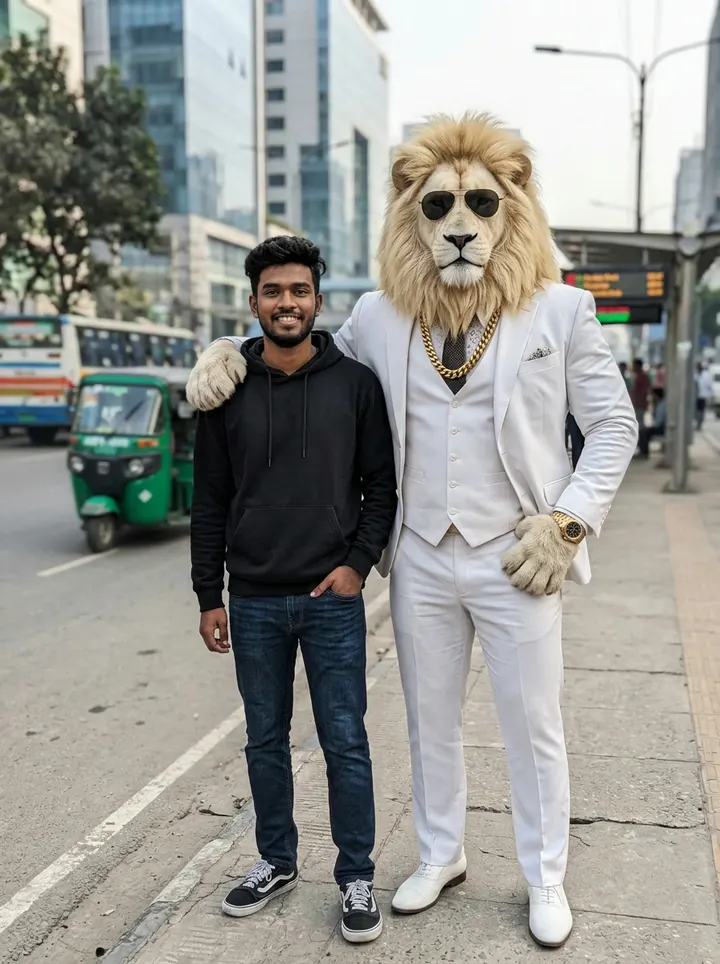
- Open the Sheru Bhai photo editor and upload a clear, knee-up photo of yourself (one adult, no hat, good light).
- Choose Sheru Bhai beside me or Turn me into Sheru Bhai and generate.
- Click Animate on the result, it opens in photo to video. Pick a motion template such as the slow-motion walk and generate.
Method 3: The manual way (free tools)
Many tutorials use this workflow:
- Ask ChatGPT to write a Sheru Bhai scene and dialogue, always describing the character in the same words.
- Generate an 8-second clip in Google Flow / Veo (or Kling, Hailuo) at 9:16.
- For part 2, use the last frame of part 1 as the starting image so the scene stays consistent.
- Join the parts and add captions in CapCut.
It works, but it means four apps, daily free limits and a lot of trial and error to keep Sheru Bhai looking the same.
Prompt formula that works
[Character lock] + [Place] + [Action over the clip] + [Dialogue + language] + [Style rules]
Example:
Sheru Bhai, a towering anthropomorphic white lion with a thick golden-white mane and a
muscular human body, wearing a tailored white three-piece suit, a heavy gold Cuban chain,
a gold watch and dark aviator sunglasses. He sits in the front row of a luxury VIP auction
room... A rival shouts a huge amount, he calmly raises his gold paddle, the hammer slams,
everyone gasps. He says in a deep calm Hindi voice: "Das hazaar crore? Double likho."
Hyper-realistic cinematic 3D, 9:16, no subtitles, no text, no watermark.
More ready prompts: Sheru Bhai prompt library.
Tips for viral Sheru Bhai videos
- Hook in the first second: start on movement, a car door, a slam, a stare.
- One idea per clip: entry, flex, punchline. Don't cram a whole story into 5 seconds.
- Same Sheru every time: keep the look and outfit identical so followers recognise "your" Sheru Bhai.
- End on the stare: the slow sunglasses-down stare is the trend's signature ending.
- Make a series: "Sheru Bhai Ep. 1, 2, 3…" keeps viewers coming back.
FAQ
Is it free to make a Sheru Bhai video? You can start with free credits; after that, credit packs start at a few dollars and never expire.
Can Sheru Bhai speak Hindi? Yes. Choose Hindi voice and type your line in Roman Hindi.
How long can a Sheru Bhai video be? Each generation is 4-15 seconds. Join several scenes for longer episodes.
Can I use the videos on YouTube and Instagram? Yes. Downloads have no watermark. Only use photos of yourself or of adults who agreed.