
Sheru Bhai AI Photo with Your Selfie: Safety, Consent and Privacy Guide
Before you upload a selfie for a Sheru Bhai AI photo or video: what happens to your photo, whose photos you may use, why children’s photos are off-limits, deepfake rules and AI labels.
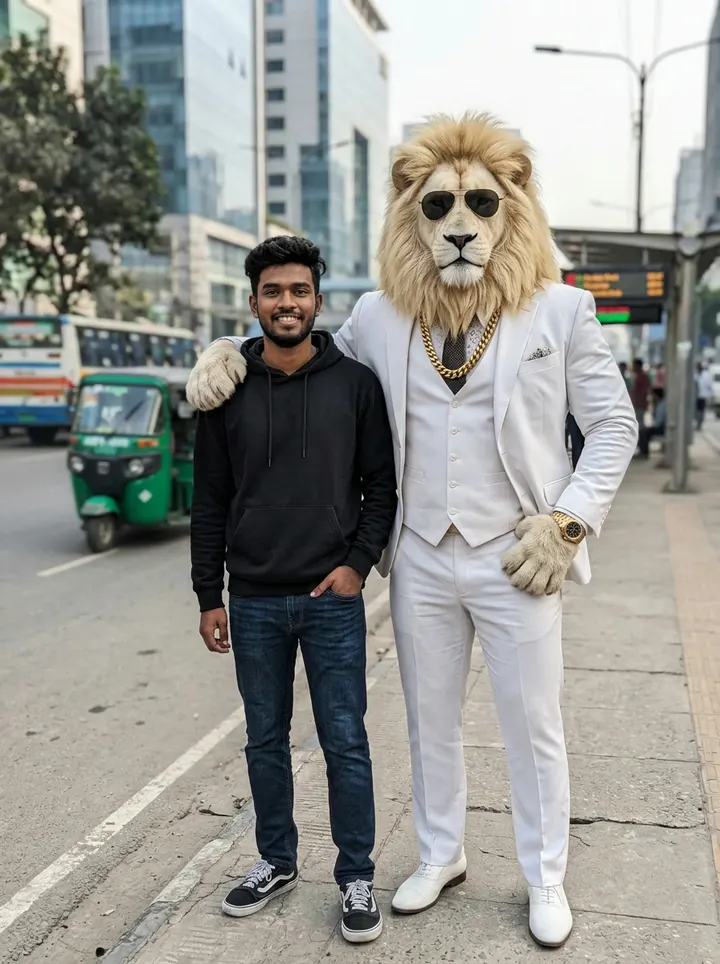
The most fun part of the Sheru Bhai trend is putting yourself in it: standing next to the lion boss, riding in his Rolls-Royce, or becoming Sheru Bhai yourself. It is also the part where you share a real photo of a real person, so it deserves a few minutes of thought. This guide explains what happens to your selfie, whose photos you can use, and how to share the result responsibly.
The person in this example is not real: we generated the original selfie with AI too, specifically so we would not use anyone's real face for a demo.
What happens to your photo on Sheru Bhai Video
When you upload a photo in the photo editor or Photo to Video:
- The image is uploaded over an encrypted connection.
- It is sent to our AI model provider only to create the result you asked for.
- The uploaded photo is kept in temporary processing storage, typically for up to 24 hours, then removed.
- The result (your new photo or video) is saved in My Creations until you delete it.
What we do not do: use your photo to train AI models, use it for face recognition or identity checks, sell it, or use it in advertising. The full details are in our Privacy Policy.
Whose photos can you upload?
Before your first upload, the studio asks you to confirm a simple rule. You may upload:
- Photos of yourself.
- Photos of another adult who has agreed, for example a friend who wants a Sheru Bhai picture and said yes.
You may not upload:
- Photos of children. This applies even to your own children or younger siblings. AI edits of minors carry real risks, so our tools are for people aged 13+ uploading their own photo.
- Photos of people who have not agreed, including strangers, classmates, colleagues or exes.
- Celebrities, politicians or influencers. Even as a joke, an edited video of a public figure can be mistaken for real and can break platform rules and laws on impersonation.
Why consent matters even for a meme
A Sheru Bhai photo looks harmless: a lion in a suit with his arm around you. But the same technology can put a person into scenes they never agreed to. Asking first keeps the trend fun and keeps everyone safe. If a friend later asks you to delete a picture or video with their face, please do it.
Deepfakes: where the line is
A clearly fictional Sheru Bhai meme is not the same as a deceptive deepfake. Stay on the right side of the line:
- Fine: you next to a lion boss at a palace; you turned into Sheru Bhai; a cartoon version of you and Chintu.
- Not fine: making someone appear to say or do something real that they did not; fake endorsements; fake news; anything sexual; anything designed to embarrass or harass a real person.
Our Content & IP Policy lists everything that is not allowed. Our AI providers also run automatic safety filters; blocked generations fail and are refunded.
Label your post as AI-generated
When you share a Sheru Bhai photo or video:
- On Instagram, turn on the AI label in Advanced settings.
- On YouTube, mark realistic videos as altered or synthetic content.
- In the caption, a simple "AI edit" or "#aiart" is enough.
Labelling is honest, it protects your account, and it makes clear the scene never happened.
Tips for a better (and safer) selfie
- Use a clear photo of one person, from the knees up, facing the camera.
- Avoid hats, hoods and heavy filters.
- Crop out other people in the background before uploading.
- Remove anything private in the frame: house numbers, car number plates, school or office badges, documents on a desk.
- Do not upload photos with sensitive locations visible if you plan to share the result publicly.
How to delete your photos and results
- Results: open My Creations and delete any image or video; it is removed from your account.
- Uploads: removed from processing storage automatically, typically within 24 hours.
- Everything: email contact@sherubhaivideo.com from your account email to delete your account and data. We complete requests within 30 days.
If someone used your photo without permission
If you find a Sheru Bhai image or video that uses your face without your consent and it was made with our tools, email contact@sherubhaivideo.com with the subject "Content complaint", including a link or screenshot. We review complaints within three business days. For content posted on social media, also report it directly to the platform.
FAQ
Is it safe to upload my selfie? Your photo is used only to create your result and is removed from processing storage within about a day. Avoid uploading photos with private details in the background.
Can I make a Sheru Bhai photo with my little brother? No. Photos of children are not allowed on our photo tools, even with family permission.
Will my face appear in your ads or examples? No. We never use user uploads or results in our marketing; all examples on the site are generated from our own prompts.